
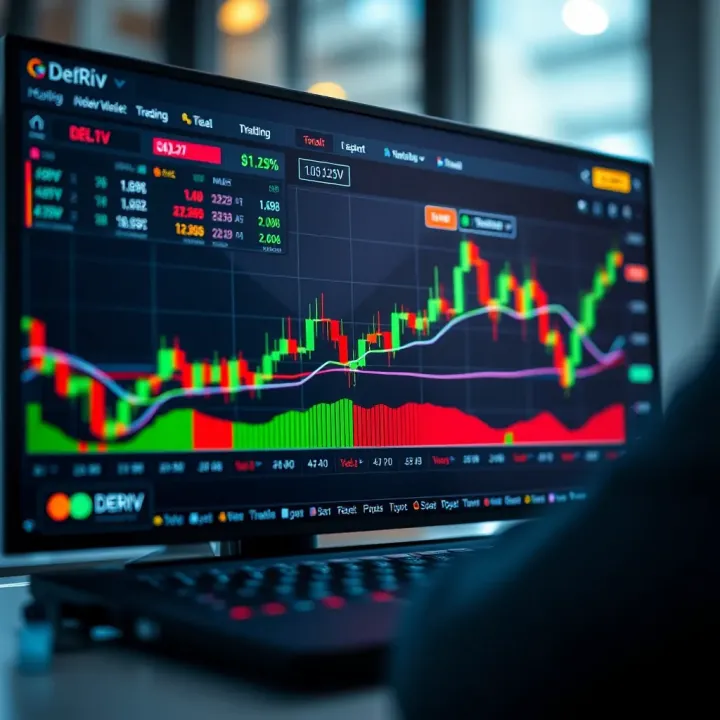
How to Use Deriv on TradingView: A Simple Guide
📊 Learn how to link Deriv to TradingView for smooth trading and sharper analysis. Step-by-step setup, cool features, and tips to boost your strategy effectively.
Edited By
Emma Foster
TradingView.com is a powerful online platform for traders and investors to analyze stock markets, forex, cryptocurrencies, and other financial assets. It combines advanced charting tools with a social network where users share trading ideas and strategies.
At its core, TradingView offers interactive charts with multiple indicators, drawing tools, and customizable layouts. Whether you want to track moving averages, RSI, or Fibonacci retracements, the platform provides these out of the box. For example, you can overlay the 50-day and 200-day moving averages to spot golden cross patterns that often signal strong upward trends.
One standout feature is the community aspect. Users can publish ideas, discuss trades, or follow professional analysts. This adds real market sentiment insights beyond what raw data can show.
TradingView's flexible subscription plans allow access to different levels of features. The free plan covers basic charting and a limited number of indicators per chart. Paid tiers unlock more charts per layout, faster data updates, and exclusive indicators like volume profile or advanced alert systems.
Here are some practical tips for getting started:
Create a watchlist: Track your preferred stocks, forex pairs, or crypto tokens in one place to quickly access real-time charts.
Experiment with indicators: Use built-in studies to test strategies or confirm your market views before placing trades.
Set alerts: Configure alerts based on price levels, indicator crossovers, or other conditions to stay informed without constantly watching the screen.
Engage with the community: Follow traders who match your style and comment on published ideas to deepen your market understanding.
Keep in mind, no platform replaces sound research and risk management. TradingView is a tool to support your decisions, but not a crystal ball.
Starting with TradingView might feel overwhelming at first due to its many features, but focusing on key tools like charts, indicators, and alerts provides immediate benefits. Gradually, you can explore its social features and advanced capabilities to enhance your trading edge.
The bottom line is TradingView is built to serve both beginners and experienced traders by making market data accessible, actionable, and social.
Getting a solid grasp of what TradingView.com brings to the table sets the stage for anyone interested in trading or investing. This platform stands out by combining powerful charting with a broad social community, which means you're not just watching numbers but tapping into collective market insights.
TradingView acts like a Swiss Army knife for traders. Instead of juggling separate tools for charts, indicators, and news, it wraps everything into one easy-to-use interface. For example, you can plot moving averages, Relative Strength Index (RSI), candlestick patterns, and more—all in one view without needing extra software. This simplicity helps traders save time and reduce mistakes that come from switching between multiple programs.
A big plus of TradingView is its access to various asset classes all under one roof. Whether you're into stocks on NASDAQ, commodities like crude oil, forex pairs, or even cryptocurrencies like Bitcoin, you can monitor real-time prices and analyze them together. Imagine spotting how oil prices impact energy stocks while also keeping an eye on dollar strength. This wide market coverage enables more holistic decision-making rather than focusing narrowly on one sector.
One defining feature is that TradingView runs fully in the cloud, meaning you don't install bulky programs or worry about syncing your settings between devices. You can pull up your charts on your desktop at work, switch to your phone while commuting, and pick up right where you left off. This flexibility benefits traders who don’t want to be glued to one computer and need quick access wherever they go.
Unlike some charting platforms that boast complexity but scatter tools everywhere, TradingView prioritizes clean design with intuitive menus. Plus, it's built mostly around community interaction. You can browse ideas shared by other traders, leave comments, or even publish your own analyses. This social twist helps traders discover fresh perspectives and test their thoughts against a broader audience, reducing the tunnel vision common in solo trading.
The bottom line is that TradingView balances powerful tools with easy access and social collaboration, making it a go-to platform for many traders and investors today.

TradingView’s core features and charting tools make it a standout platform for traders and investors. They offer a hands-on way to analyze market trends and make informed decisions. Whether you're tracking stocks, forex, or cryptocurrencies, understanding these tools helps you tailor your strategy and react quickly to market changes.
TradingView provides multiple chart types, each suited for different trading styles. Line charts deliver clear price movement over time, while candlestick charts offer visual cues about market sentiment by displaying open, close, high, and low prices. For day traders, Heikin-Ashi charts smooth out the noise, helping spot trends more easily. Users can customize colors, time intervals, and chart layouts to fit their workflow, keeping critical information accessible and organized.
The platform's drawing tools add another layer of analysis. You can sketch trendlines, insert Fibonacci retracements, or mark support and resistance zones directly onto your charts. These tools are essential for technical analysis, allowing you to visualize potential entry and exit points. For example, a trader might use horizontal lines to mark a historical price ceiling, helping predict a possible reversal.
TradingView comes with a vast library of built-in indicators like Moving Averages, RSI (Relative Strength Index), and MACD (Moving Average Convergence Divergence). Adding these to your chart helps you understand momentum, volatility, and possible price reversals. Applying indicators is straightforward—just select from the menu, and they overlay directly on your chart or sit beneath it as separate panels. For instance, pairing Bollinger Bands with volume data can reveal breakout opportunities that aren’t obvious from price charts alone.
One of TradingView’s powerful features is Pine Script, its proprietary scripting language. If you want to go beyond default setups, Pine Script lets you create custom indicators and alerts tailored exactly to your trading strategy. For example, a trader could script a custom moving average crossover alert that notifies them when short-term momentum shifts. This ability to personalize your technical tools can give you an edge, especially in fast-moving markets.
The bottom line is that TradingView's core features streamline market analysis by combining powerful charts with versatile tools, helping you act quickly and confidently.
TradingView’s community features are a major draw for traders and investors looking to enhance their market understanding through social interaction. These tools let users tap into collective knowledge, share insights, and discuss strategies with peers worldwide. Engaging with other traders not only expands your perspective but also helps validate ideas before acting on them.
Following and sharing market ideas is a straightforward way to gain fresh insights. TradingView users post their analyses, chart setups, and trade predictions openly. By following experienced traders, you can keep up with real-time ideas that match your preferred markets or trading style. For example, if you trade tech stocks, tracking analysts who focus on that sector exposes you to setups you might overlook otherwise.
Sharing your own market ideas contributes to the platform's collaborative spirit. Posting your charts with explanations invites feedback and helps you refine your approach. This ongoing exchange builds a stronger, more informed community.
Commenting and discussion tools further deepen these interactions. You can join conversations on posted ideas, ask questions, or challenge assumptions. TradingView’s comment sections function like mini-forums where traders dissect setups and debate market movements.
These discussions add value by uncovering different interpretations or pointing out risks that initial posts might miss. For instance, a trader predicting a breakout might receive a comment highlighting upcoming earnings reports or regulatory news that could affect the move. This kind of dialogue encourages critical thinking and sharpens your trading tactics.
User profiles and messaging bring a more personal dimension to community engagement. Each member’s profile displays their track record, trading style, and posted ideas, helping you find peers aligned with your interests or expertise level.
Direct messaging lets you ask detailed questions, share resources privately, or set up mentorship arrangements. This one-on-one interaction is useful when you want more tailored advice or to discuss sensitive strategies without the noise of public threads.
Groups and team collaborations allow traders to organize around common goals or interests. You can join groups focused on specific markets like cryptocurrencies or commodities, or form teams with others working on a shared trading system.
This collaboration space promotes accountability and continuous learning. Group members often trade ideas faster than public posts allow, conducting live discussions or sharing private alerts. Imagine a small group monitoring energy stocks and pooling real-time data — this arrangement can lead to quicker decisions and better timing.
Community features on TradingView transform trading from a solo activity into a dynamic, social experience, offering both learning opportunities and networking.
Overall, TradingView’s social features create an interactive environment where traders support each other, learn collectively, and adapt strategies based on shared experiences. Whether you’re trading stocks, forex, or crypto, tapping into this network can give you a leg up on the market.
Choosing the right subscription plan on TradingView.com can shape how efficiently you analyze markets and execute trades. The platform offers a range of plans from free to premium tiers, each with distinct limits and perks. Whether you’re a casual observer or a full-time trader, understanding these differences helps you pick the plan that best fits your needs.
The free tier on TradingView is a great starting point, but it comes with clear restrictions. For example, free users can open only one chart at a time and are limited to three indicators per chart. This setup works if you’re dipping your toes into charting or testing basic strategies. However, once you start juggling multiple markets or need deeper technical analysis, these limits become a roadblock.
Upgrading to any of the Pro plans lifts many of these constraints. You get access to multiple charts on one screen — ideal if you’re tracking stocks, forex, and cryptocurrencies simultaneously. Plus, Pro tiers offer more indicators per chart, extended historical data, and faster data updates. A trader using the Pro+ plan, for instance, can apply up to ten indicators per chart and set up multiple alerts, making it easier to catch opportunities across different assets.
Before upgrading, consider how often you rely on real-time data and the complexity of your setups. Day traders, especially those handling several asset classes, might need Pro or Premium plans for more charts and indicators. On the other hand, occasional traders or investors focusing on long-term trends may find the free or Pro plan sufficient.
Also, think about alerts and watchlists. The ability to receive multiple alerts ensures you won't miss critical price movements — a feature limited in the free version. For example, a premium user can receive up to 400 alerts, while free users only get one active alert. These features can directly impact your reaction time and trading efficiency.
The bottom line is that your subscription level should match your trading style and analysis depth. Upgrading makes sense if the limits of the free plan hold you back from spotting or acting on market moves in a timely way.
In short, the plan you pick influences how detailed your charts can be, how many markets you can monitor simultaneously, and how promptly you receive important updates. Take a clear look at your trading demands before deciding which tier to choose.
Getting the most out of TradingView comes down to configuring the platform to suit your trading style and staying connected with the latest market insights. This helps save time, spot opportunities faster, and make smarter decisions. Below, we break down practical ways to tailor your TradingView experience for better efficiency and market awareness.
Setting up default charts and layouts lets you jump straight into analysis without fiddling with settings every time. TradingView allows you to save multiple chart layouts, each tailored for different assets or strategies. For example, you might create one layout showing candlestick charts with moving averages for stocks and another focused on forex pairs with RSI and MACD indicators. Saving these as defaults means you avoid rebuilding your setups, speeding up daily routines.
This saves time and minimizes errors caused by manual setup. It’s like having your trading desk ready to go whenever you sign in.
Using watchlists and alerts effectively is another smart move. Watchlists let you monitor a custom group of assets in one place. Say you're tracking tech stocks, cryptocurrencies, and commodities; adding them to separate watchlists lets you filter and focus better depending on your interests that day.
Alerts notify you instantly when price levels, technical conditions, or custom criteria are met. For instance, setting an alert on Apple’s stock when it breaks above $150 helps you react quickly without staring at charts all day. Alerts can be pushed to your phone or email, so you never miss a critical move.
Following trusted analysts and contributors on TradingView adds valuable perspectives to your feed. These users often share trade ideas, chart analyses, and news in real-time. Choosing a few who regularly prove insightful allows you to get relevant updates without clutter or misinformation. For example, if you follow an analyst known for accurate options strategies, their posts can fine-tune your approach.
This community-driven insight can reveal trends or reversals you may have overlooked.
Using TradingView's news and economic calendar ties your analysis directly to market-moving events. The built-in calendar lists upcoming reports like GDP data, Fed announcements, or earnings releases. By syncing these dates with your watchlists and charts, you can anticipate volatility spikes and adjust your trading or investment plans.
For example, knowing that crude oil inventories are due Wednesday morning helps a trader avoid sudden surprises in energy markets.
Customizing your workspace and engaging with reliable sources on TradingView not only speeds up your workflow but keeps you well-informed, giving you an edge in dynamic markets.
In short, practical setup combined with smart information feeds makes TradingView a powerful ally in your trading toolkit.
📊 Learn how to link Deriv to TradingView for smooth trading and sharper analysis. Step-by-step setup, cool features, and tips to boost your strategy effectively.

Explore Ethereum's smart contracts, decentralised apps, and its shift to energy savings ⚡. Discover its impact on finance, IDs, and more in SA 🇿🇦.
📈 Discover how TradingView's charts and tools can sharpen your binary options trading skills, manage risk, and boost decision-making in South Africa 🇿🇦.
📈 Master TradingView charts with tips on types, indicators & custom settings. Learn to interpret market data sharp for smarter trades in South Africa 🇿🇦.
Based on 12 reviews